API Keys
An API key lets your scripts and systems call the Oppex HTTP APIs, for example to raise, acknowledge and resolve incidents from a CI pipeline or an internal tool. Each key belongs to one workspace, and every request made with it acts in that workspace.
Create an API key
You need to be a Workspace Admin (or higher) in the workspace.
- Click your avatar, then Settings.
- In the left menu, open Workspace: <your workspace> and click API Keys. If your organization has only one workspace, click Organization → API Keys instead.
- Click + Add Api Key.
- Enter a Description that says what the key is for, such as
GitHub Actions deploy alerts. - Click Create Key.
The new key appears in the table. Click the copy icon next to it to copy it.
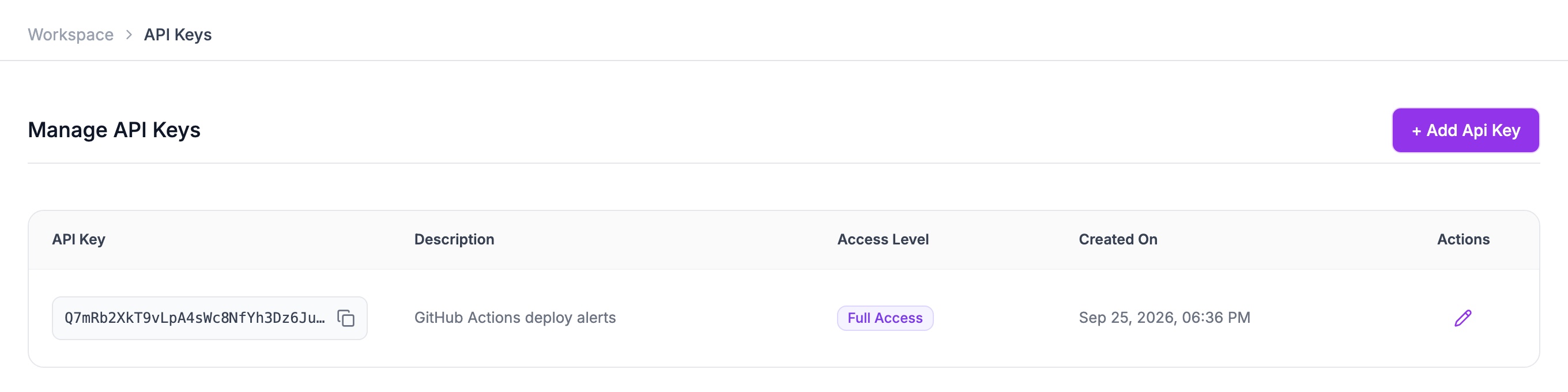
The table lists every key in the workspace with its description, access level and creation date. You can copy a key again at any time, and edit its description with the pencil icon.
Use an API key
Send the key in the X-API-KEY header on every request. All API requests go to
https://api.oppex.ai.
curl -X POST "https://api.oppex.ai/api/v1/incident/post" \
  -H "Content-Type: application/json" \
  -H "X-API-KEY: <your-api-key>" \
  -d '{"title": "Deploy failed on prod", "serviceKey": "<integration-key>"}'
A request made with an API key has Workspace Admin permissions in the key's workspace. It isn't tied to a person, so actions taken with it are recorded as made through the API.
Keep keys secret. Anyone with the key can raise and resolve incidents in your workspace. Store it in an environment variable or a secrets manager, never in source control, and create a separate key for each system that uses one.
API key or integration key?
The two are easy to mix up:
- An API key identifies your organization and workspace. It proves the caller is allowed in.
- An integration key identifies one service. It tells Oppex which service an incident is for. You'll find it under Integration Details on the service.
Raising an incident through the API needs both: the API key in the header, and the service's
integration key as serviceKey in the body.
Disable an API key
There is no option to disable a key in the product yet. To disable one, for example because it has leaked, contact Oppex support with the key's description and workspace. Once it is disabled, requests made with it are rejected straight away, and it can't be turned back on. Create the replacement key first, so your systems keep working.
Errors
If the key is missing, wrong or disabled, the request is rejected with 401 Unauthorized and a
plain-text message:
| Message | Meaning |
|---|---|
Invalid or disabled API key | The key doesn't exist or has been disabled. |
Missing or invalid Authorization header or cookie | No X-API-KEY header was sent, or it was sent empty. |