Grafana
Connect Grafana Alerting to an Oppex service through a webhook contact point. When an alert group fires, Oppex creates a root incident that represents the group and one child incident for each alert in it. When the group resolves, Oppex resolves the linked incidents.
Before you start
You need the following:
- An Oppex API key from the workspace that owns the service. Open Settings, and in your workspace's section click API Keys. If your organization has only one workspace, click Organization → API Keys instead. See API Keys to create one.
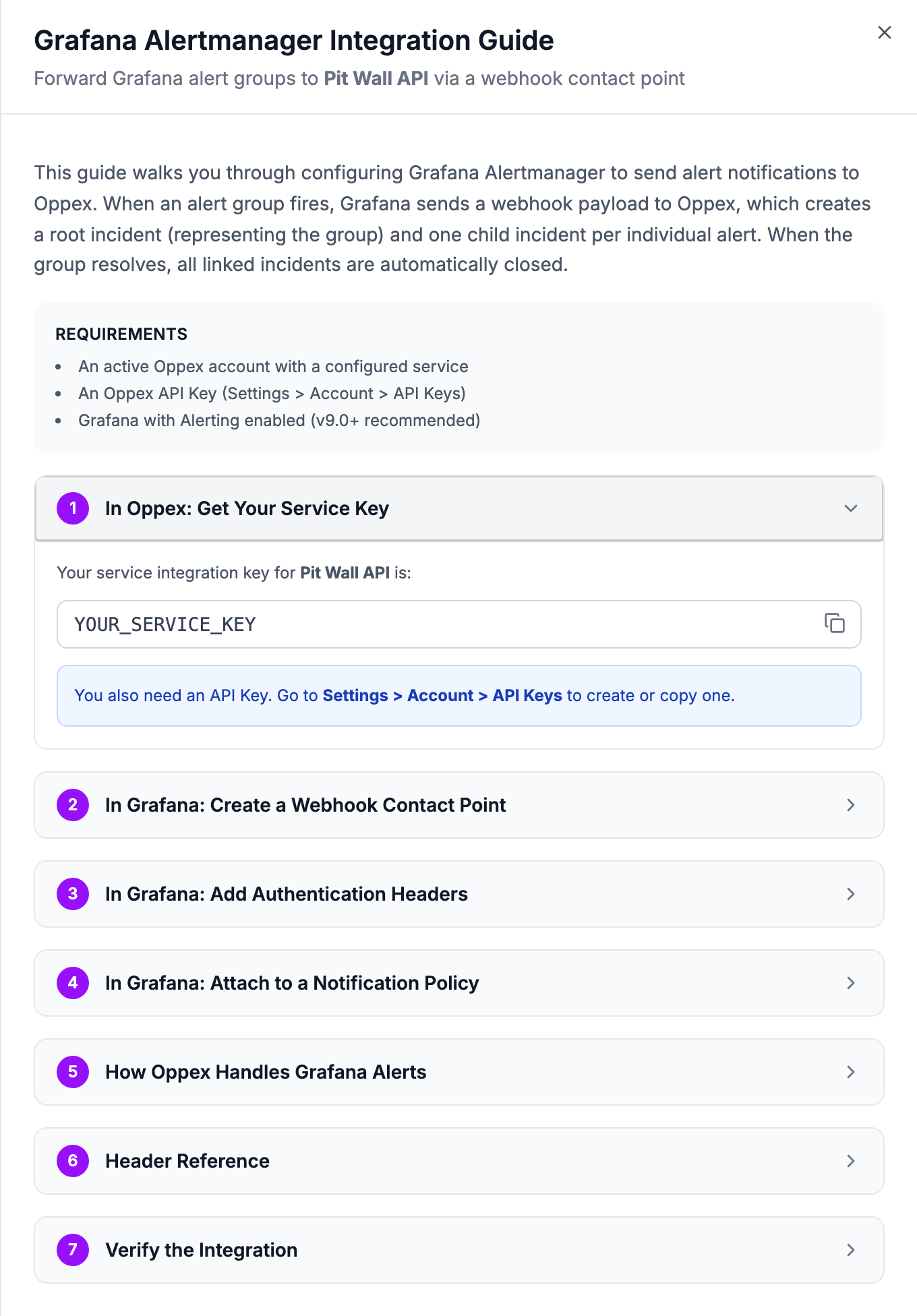
- The service's integration key. Oppex shows it in the service's Grafana guide, as described in step 1.
- Grafana with Alerting enabled. Version 9.0 or later is recommended.
The Grafana guide inside Oppex says Settings > Account > API Keys. The API Keys page is under your workspace's section of Settings, as described above.
Step 1: Open the Grafana guide in Oppex
- Open Services.
- In the service's row, click Integration Details and select Grafana.
- In In Oppex: Get Your Service Key, click the copy icon to copy the service integration key.
Step 2: Create a webhook contact point in Grafana
-
In Grafana, go to Alerting > Contact points.
-
Click Add contact point.
-
Name it, for example
Oppex. -
Set Integration to
Webhook. -
Set URL to the Oppex webhook URL:
https://api.oppex.ai/integrations/webhook/incident/grafana -
Set HTTP Method to
POST.
Step 3: Add the authentication headers
In the contact point editor, expand Optional Webhook settings and add these headers.
| Header | Value | Required |
|---|---|---|
X-GRAFANA-SERVICEKEY | The service integration key from step 1 | Yes |
X-GRAFANA-APIKEY | Your Oppex API key | Yes |
X-GRAFANA-AUTORESOLVE | true | No |
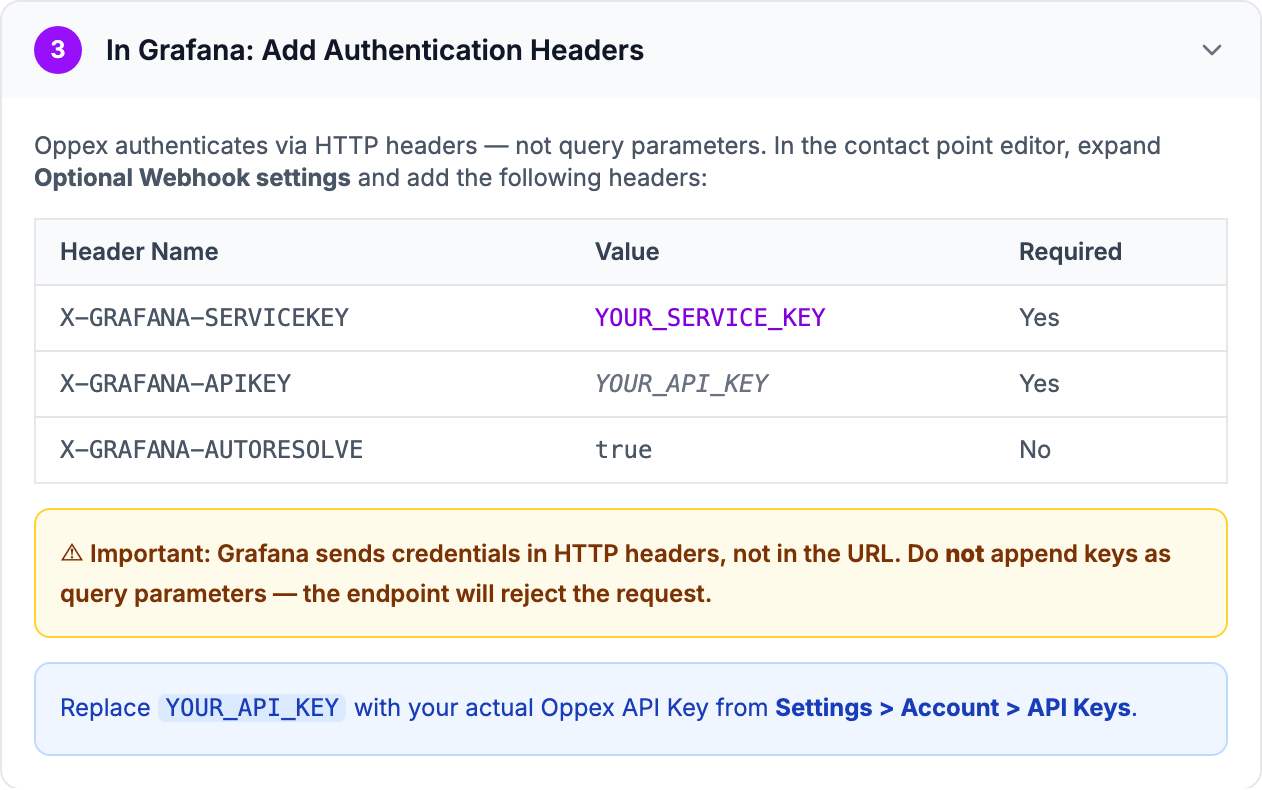
Oppex reads both keys from headers only. If you append them to the URL as query parameters, Oppex rejects every request.
X-GRAFANA-AUTORESOLVE controls what happens when an alert group resolves. When the header is
absent or true, Oppex resolves every incident in the group. Any other value, including false or
an empty value, leaves the incidents open for your team to resolve by hand.
Step 4: Attach the contact point to a notification policy
- Go to Alerting > Notification policies.
- Edit the Default policy, or create a nested policy.
- Set Contact point to the
Oppexcontact point. - Click Save policy.
To send different alerts to different Oppex services, create a nested policy and a contact point for each service, each with that service's integration key.
What happens when Grafana sends an alert group
Grafana groups related alerts before it sends a webhook, and Oppex keeps that structure.
- Root incident: represents the whole alert group, for example [FIRING] HighCPU. Oppex creates it once for each group.
- Child incident: one for each firing alert in the group, identified by the alert's fingerprint. Later webhooks for the same group create children only for fingerprints Oppex has not seen.
| Webhook | What Oppex does |
|---|---|
firing, new group | Creates the root incident and a child incident for each firing alert |
firing, group already open | Creates child incidents for new fingerprints only |
resolved, auto-resolve on | Resolves every incident in the group |
resolved, auto-resolve off | Leaves the incidents open |
Inside a firing webhook, Oppex skips alerts whose own status is resolved. The child incident for
such an alert stays open until Grafana reports the whole group as resolved, or until someone
resolves it by hand.
Every incident from Grafana is created with Severity 1, the root and each child alike. Oppex does not read a severity from Grafana labels. To separate urgent alerts from the rest, route them to different services with nested notification policies.
The incidents contain the following:
- Root title: the group title. When Grafana sends none, Oppex uses the
alertnamelabel, with theenvlabel in brackets when it is present. - Child title: the alert's
summaryannotation, then itsdescriptionannotation, then itsalertnamelabel. - Source: Grafana.
- Details: for the root, the group key, receiver, labels and annotations shared by the group, and the number of alerts. For each child, the alert's labels, annotations, values, and the generator, silence, dashboard and panel links.
When Grafana leaves alerts out of a webhook because of its maximum-alerts setting, the root incident's details record how many alerts were not delivered.
Test the integration
The Test button in the Grafana contact point editor sends a sample alert, which creates a real
root incident and child incident in Oppex. You can also send a firing alert with curl. Replace the
two keys first.
curl -X POST "https://api.oppex.ai/integrations/webhook/incident/grafana" \
  -H "Content-Type: application/json" \
  -H "X-GRAFANA-SERVICEKEY: YOUR_SERVICE_KEY" \
  -H "X-GRAFANA-APIKEY: YOUR_API_KEY" \
  -H "X-GRAFANA-AUTORESOLVE: true" \
  -d '{"receiver":"Oppex","status":"firing","groupKey":"pit-wall-latency","alerts":[{"fingerprint":"drs-monitor-01","status":"firing","labels":{"alertname":"DRS Monitor Latency"},"annotations":{"summary":"Box Box: Pit Wall API latency above 2 s"},"startsAt":"2026-10-08T09:00:00Z","endsAt":"0001-01-01T00:00:00Z"}]}'
A root incident and one child incident appear on the Incidents page within a few seconds. To test
auto-resolve, send the same request with "status":"resolved" at the top level and on the alert.
If a request fails, the reply tells you why:
| Reply | Cause |
|---|---|
| Missing or invalid Authorization header or cookie | The X-GRAFANA-APIKEY header is missing |
| Invalid or disabled API key | The API key is wrong or disabled |
| X-GRAFANA-SERVICEKEY header is required | The service key header is missing |
| Service not found for provided key | The service integration key does not match a service |
| Field 'alerts' must be a non-empty array in Grafana payload | The webhook contains no alerts |
In-product guide
Oppex shows the same setup steps inside the product, with your service's integration key and a sample request filled in. Open Services, click Integration Details in the service's row, and select Grafana.