Cloudflare
Connect Cloudflare to an Oppex service so that Cloudflare alerts create incidents. Cloudflare sends its notifications to Oppex through a webhook destination, and Oppex resolves the incident when Cloudflare reports that the problem has ended.
Oppex handles these Cloudflare alert types:
- Incident alerts, about Cloudflare infrastructure and service incidents.
- Health check alerts, about your origins.
- DDoS and security alerts.
- Budget and billing alerts.
Before you start
You need the following:
- An Oppex API key from the workspace that owns the service. Open Settings, and in your workspace's section click API Keys. If your organization has only one workspace, click Organization → API Keys instead. See API Keys to create one. Cloudflare sends this key as the webhook secret.
- The service's integration key. Oppex includes it in the webhook URL that the service's Cloudflare guide shows, as described in step 1.
- Access to Cloudflare Notifications for the account whose alerts you want to send.
Step 1: Open the Cloudflare guide in Oppex
- Open Services.
- In the service's row, click Integration Details and select Cloudflare.
- In Configure the webhook in Cloudflare, copy the Webhook URL — fixed service. It already contains the service's integration key.
Step 2: Create the webhook destination in Cloudflare
-
In the Cloudflare dashboard, go to Notifications → Destinations.
-
In the Webhooks card, click Create.
-
Enter a name, for example
Oppex. -
Set the URL to the webhook URL from step 1:
https://api.oppex.ai/integrations/webhook/incident/generic?serviceKey=YOUR_SERVICE_KEY -
In Secret, paste your Oppex API key. Cloudflare sends it in the
cf-webhook-authheader of every notification. -
Click Save and Test.
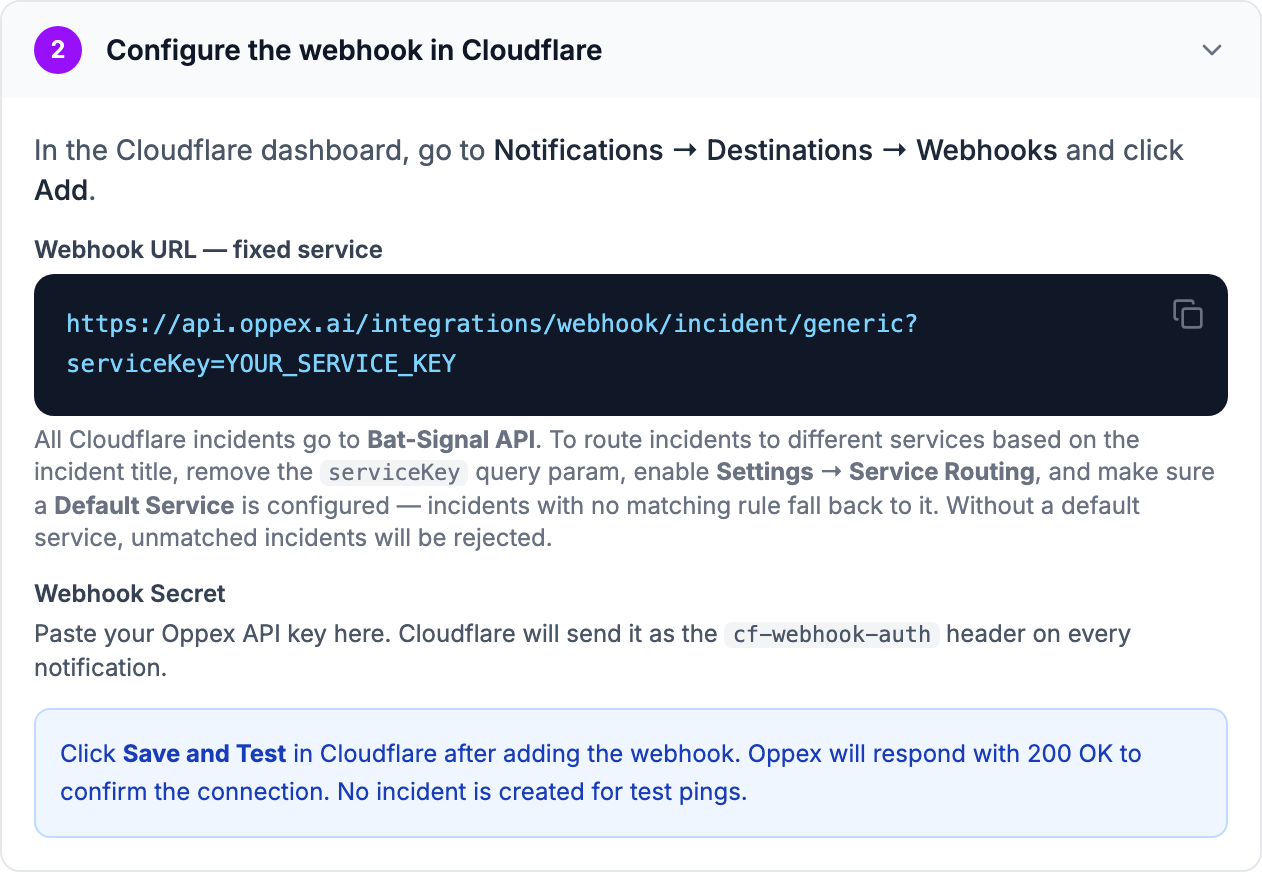
Oppex replies to Cloudflare's test notification with a success response and does not create an incident for it.
Oppex accepts Cloudflare's test notification before it checks the secret. If you mistype the API key, the test still succeeds, but real alerts are rejected. Check the key carefully, and confirm the setup with a real alert. Cloudflare does not show a secret again after you save it, so to change it you create a new webhook destination.
Route alerts with service routing instead of a fixed service
The URL from step 1 sends every Cloudflare alert to one service. To choose the service from each alert's title instead:
- Remove
?serviceKey=…from the URL. - Set up service routing for the workspace.
- Make sure the workspace has a Default Service. Alerts that match no routing rule go to it.
Without a default service, Oppex rejects alerts that match no routing rule.
Step 3: Subscribe your Cloudflare notifications
- In Cloudflare, go to Notifications and click Add.
- Select the alert type you want to send to Oppex.
- Choose the webhook destination from step 2.
- Save the notification. Repeat for each alert type.
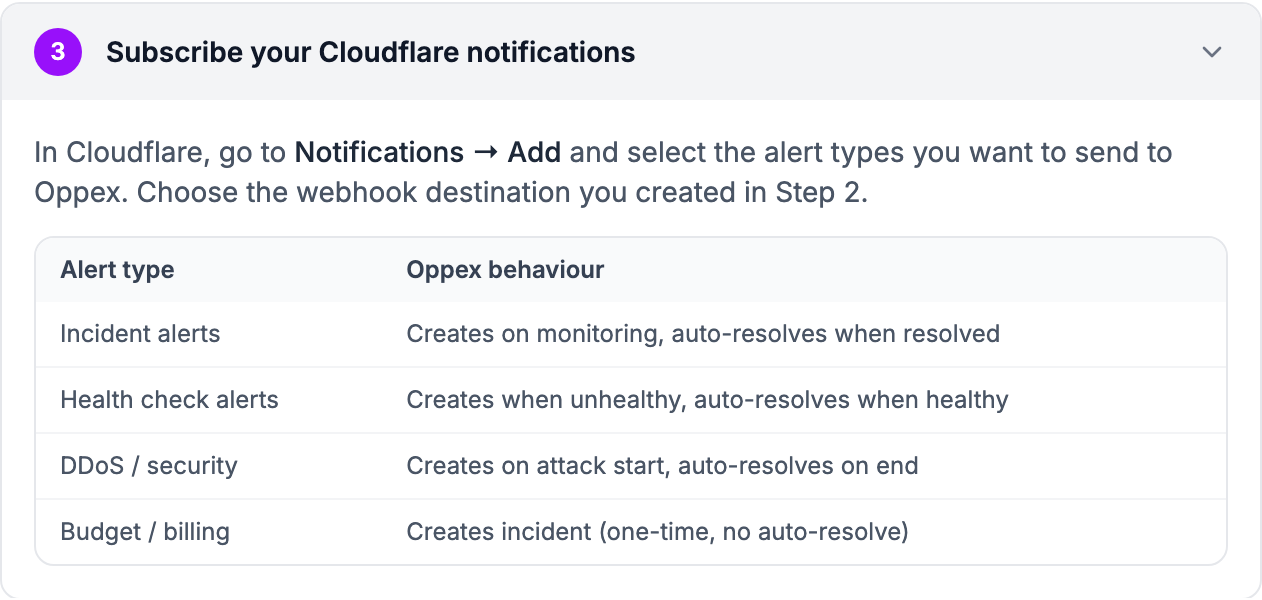
What happens when Cloudflare sends an alert
| Alert type | What Oppex does |
|---|---|
| Incident alerts | Creates an incident while Cloudflare's incident is open, and resolves it when Cloudflare marks the incident resolved |
| Health check alerts | Creates an incident when the origin becomes unhealthy, and resolves it when the origin is healthy again |
| DDoS and security alerts | Creates an incident when the attack starts, and resolves it when the attack ends |
| Budget and billing alerts | Creates an incident. These alerts do not resolve on their own |
Every incident from Cloudflare is created with Severity 1.
The incident contains the following:
- Title: the name of the Cloudflare incident, or the notification's name when the alert is not about a Cloudflare incident.
- Source: Cloudflare.
- Type: the Cloudflare alert type.
- Tenant: the Cloudflare account ID.
- Details: the alert text, the notification policy name and ID, and the alert data that Cloudflare sends.
Cloudflare sends a new notification each time an incident's status changes, for example from Investigating to Identified. Each update attaches to the open incident from the same Cloudflare alert or notification instead of opening a new incident. See Grouping strategy.
Troubleshooting
Cloudflare's webhook delivery history shows the reply from Oppex:
| Reply | Cause |
|---|---|
| Cloudflare webhook configured successfully | A test notification was received. No incident is created |
| Field 'name' is required in Cloudflare payload | The notification is not in Cloudflare's alert format |
| Invalid Service Key | The serviceKey in the URL does not match a service |
| Unexpected processing error | The secret is not a valid Oppex API key |
In-product guide
Oppex shows the same setup steps inside the product, with your service's integration key filled into the webhook URL. Open Services, click Integration Details in the service's row, and select Cloudflare.