Inviting Users
Oppex can only page people who have an Oppex account. Before you build a schedule, invite the teammates who will be on call. Each person accepts the invite and enters a password and the contact number Oppex calls and messages.
- Open Settings → Users & Roles.
- Click + Invite User.
- Enter their Email address.
- Choose their access. A person who only responds to incidents needs Responder. A person who builds schedules, escalation policies and services needs an administrator role, such as Workspace Admin.
- Click Send Invite.
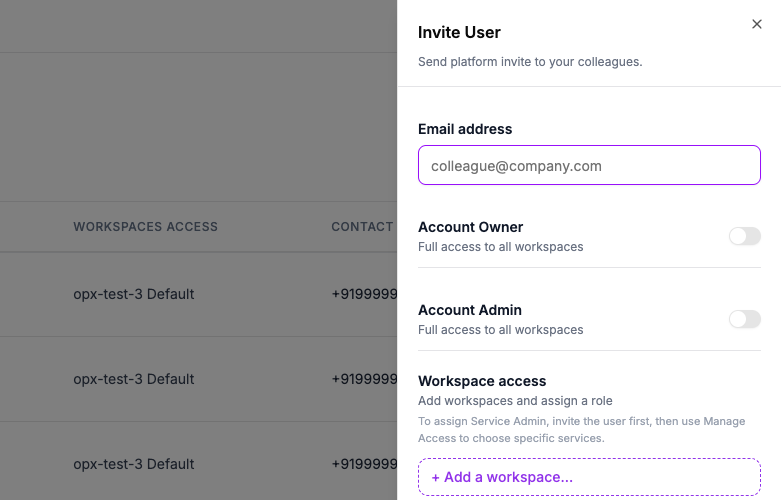
If your organization uses more than one workspace, you choose Account Owner or Account Admin, or add a workspace under Workspace access and pick a role there. If it uses a single workspace, you choose from one Role list. Workspace Admins invite people from Users in the left navigation instead of from Settings.
Oppex rejects an invite to an address outside your organization's approved domain. An invite expires after 7 days. If it lapses, send a new one.
After they accept
Ask each person to check the Contact number under Settings → Personal. Oppex uses that one number for phone calls, SMS and WhatsApp. It does not send a code to verify the number, so a mistyped number is not caught. See Raising Your First Incident for how to check it.
You can only give someone a role up to your own. For the full rules, and for how to change a role later, see Invite a user and Manage access.