Integrating Oppex with Your Stack
Once your service pages you correctly, connect the tools that watch your systems, so their alerts become Oppex incidents automatically. An alert from a monitoring tool goes through the same service, severity mapping and escalation policy as the test incident you raised by hand.
How an alert reaches the right service
Every service has an integration key, which Oppex generates when you create the service. A monitoring tool sends its alerts to Oppex with two credentials:
- the service's integration key, which tells Oppex which service the alert belongs to, and
- a workspace API key, which proves the alert comes from your organization. You create API keys under API Keys in Settings, in your workspace's section.
Each webhook-based tool uses one Oppex webhook address, shared by all your services. The integration key, not the address, decides which service receives the alert.
Most guides ask you to send the integration key and the API key as HTTP headers, and not to add them to the webhook address. Amazon CloudWatch is the exception: its guide adds both to the address. Cloudflare and Google Cloud Monitoring put the integration key in the address and send the API key separately. Follow the guide for your tool exactly.
Find the setup guide for your tool
- Open Services.
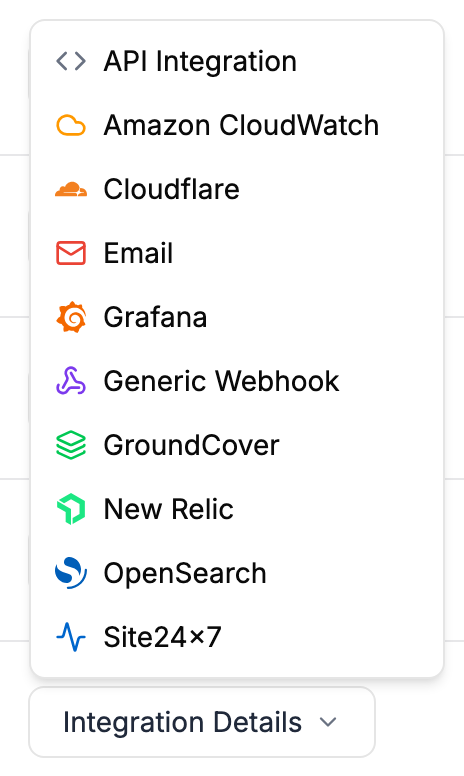
- In your service's row, click Integration Details.
- Choose your tool. Oppex opens a guide with the webhook address, the service's integration key, and the headers to set.
| Option | Use it for |
|---|---|
| API Integration | Your own scripts and services. The guide shows the integration key and a sample request. See Post an incident. |
| Amazon CloudWatch, Cloudflare, Grafana, GroundCover, New Relic, OpenSearch, Site24×7 | Alerts from that tool. See Amazon CloudWatch, Cloudflare, Grafana, GroundCover, New Relic, OpenSearch and Site24x7. |
| Generic Webhook | Any tool that can send a webhook but is not listed. See Generic Webhook, and the worked set-ups for Datadog and Splunk. |
| Tools that can only send email. Each service has its own address to send alerts to. See Email. |
Google Cloud Monitoring has no entry in the menu. See Google Cloud Monitoring to connect it.
Anyone with a service's integration key and one of your API keys can raise incidents on that service. Store both where only your monitoring configuration can read them.
After you connect a tool, trigger a test alert from it and check that an incident appears on the service, in the same way as your manual test.