Overview
Every person in your organization has a role. A role decides what they can see and change — from viewing their own assigned incidents to managing every workspace in the account. A new invite defaults to Responder, the most limited role.
The five roles
| Role | Can do |
|---|---|
| Account Owner | Full access to every workspace. Manages admins, billing, and account-wide settings. |
| Account Admin | Full access to every workspace. Manages every user, service, and incident setting across the account. |
| Workspace Admin | Manages users, services, and incident settings, but only within the workspace they're assigned to. |
| Service Admin | Invites Responders and manages incidents for the specific services they're assigned to. |
| Responder | Responds to and updates their own assigned incidents. View-only outside that scope. |
Two names for the top two roles
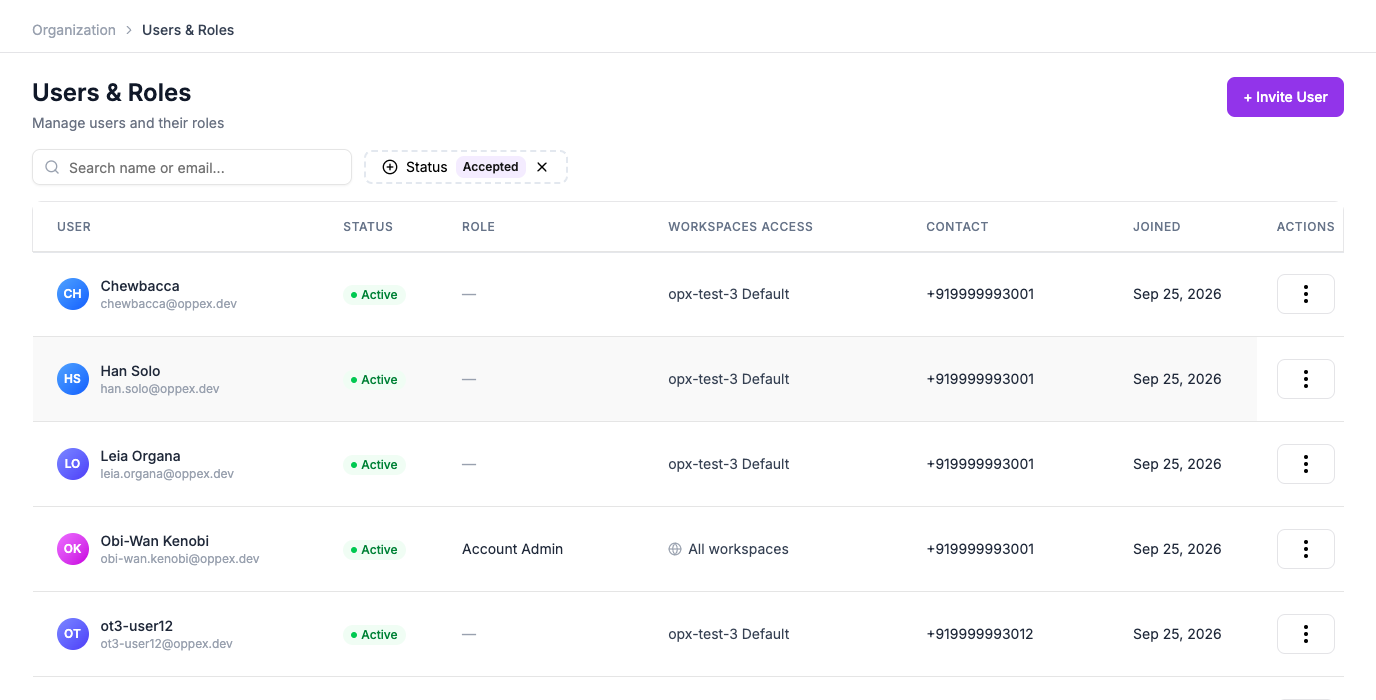
Account Owner and Account Admin are the names shown when inviting someone or managing their access. The same roles appear elsewhere in Oppex — including the Users & Roles table — labeled Owner and Global Admin. They're the same role under both names.
Account Owner and Account Admin apply to every workspace automatically. Workspace Admin, Service Admin, and Responder are each scoped to specific workspaces or services — see Invite a User and Manage Access & Roles for how that scoping is set.