Oppex Nova overview
Oppex Nova answers questions about your incident data in plain English. You type a question such as "Which service had the most incidents this week?", and Nova replies with numbers or a table, tells you the dates and assumptions it used, and suggests follow-up questions. Oppex Nova is in beta.
Open Oppex Nova
- Select Reports in the left navigation.
- Select Ask Oppex Nova at the top right of the page. The button carries a BETA label.
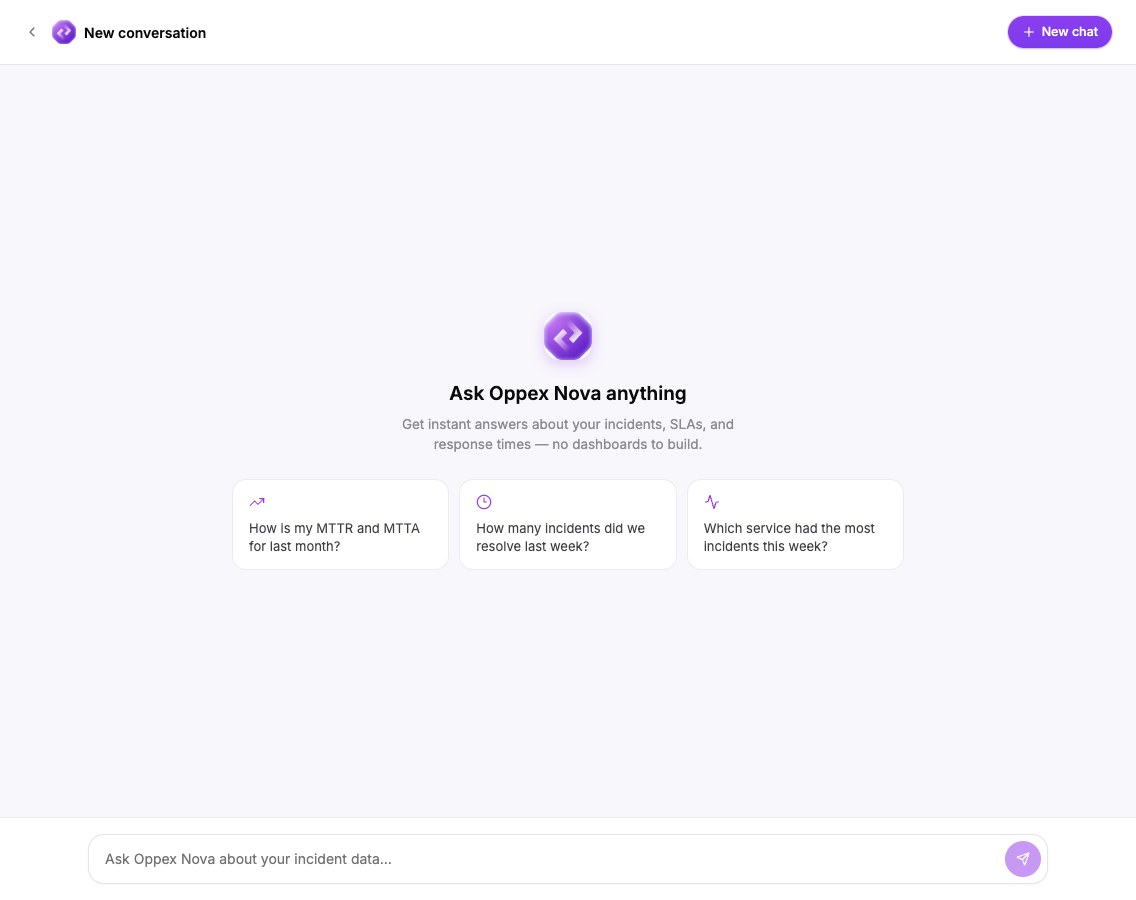
A new conversation opens with the heading Ask Oppex Nova anything and three example questions. Select an example to ask it, or type your own question.
Oppex Nova is available when Oppex has turned it on for your account, together with Reports. You need the Workspace Admin role or higher to open it. If you do not see Ask Oppex Nova, contact Oppex support.
What Nova answers from
Nova reads the same reporting copy of your incident data as Reports, which Oppex rebuilds every night. It sees only the workspace you are working in. It can answer questions about incidents, services, people, response times, notes, calls, text messages and your workspace variables. See What Oppex Nova can answer for the full list and the limits.
Oppex Nova or a report?
| Use | When |
|---|---|
| Oppex Nova | You have a one-off question, or you do not yet know which cut of the data you need. |
| A report | You want a fixed layout that you can run again, export in full, or email on a schedule. |
You can turn a Nova answer into a report. See Create a report from a chat.
Where to go next
- Ask a question
- Understand an answer
- Find and manage conversations
- Create a report from a chat
- What Oppex Nova can answer
The chat shows this reminder under every conversation: "OppexNova can make mistakes. Double-check important numbers."