Workspace variables
A workspace variable is a named value that Oppex stores on each incident, for example the team an alert belongs to or the lap a safety car was called on. Once incidents carry the value, you can filter the incident list by it, use it in grouping and routing, and report on it. A variable only describes the value. A parser is the rule that fills it in.
You need the Workspace Admin role or higher to create and manage variables.
Create a variable
- Open Settings, then your workspace, then Variables.
- Click Add Variable.
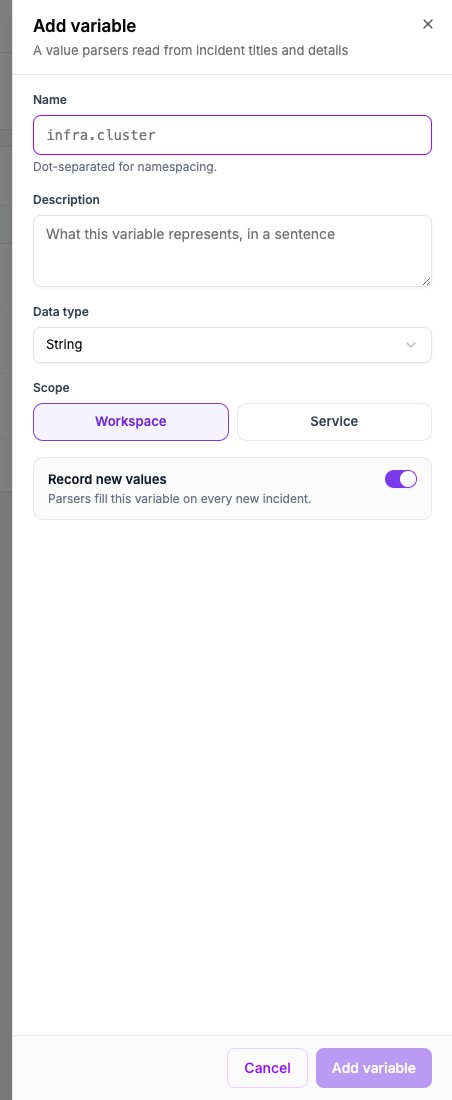
- Enter a Name, for example
race_team. - Optionally enter a Description.
- Under How does it get its values?, leave From incidents selected. A parser then reads the value from an incident. To map the values of another variable into clean names instead, see Derived variables.
- Choose the Data type.
- Choose the Scope: Workspace applies the variable to every service, and Service limits it to the services you pick.
- Leave Record new values on, and click Add variable.
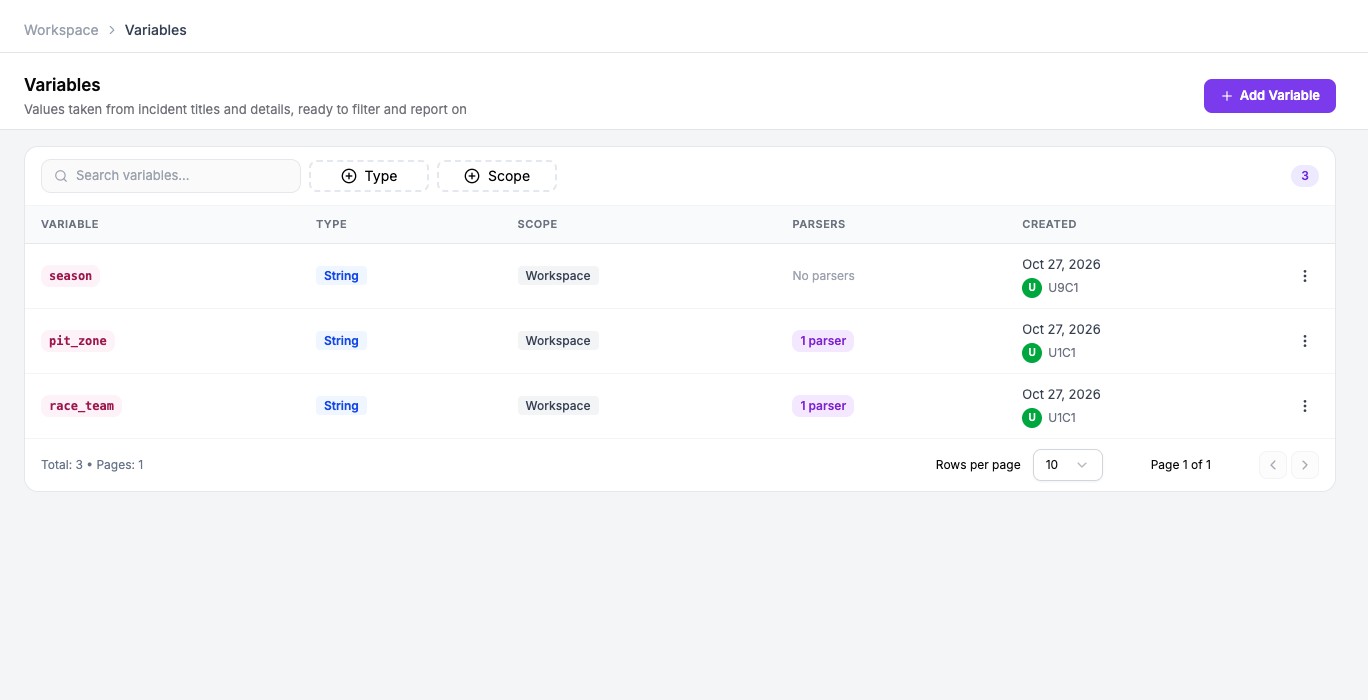
Names and data types
A name uses lowercase letters, digits and underscores, starts with a letter, and is at most 64 characters. You can separate parts with dots to group related variables, for example infra.cluster.
The data type is one of String, Number, Date, or the array form of each when an incident can hold several values.
Oppex refuses to rename a variable or change its type after you create it. If you need a different name, create a new variable. Oppex also refuses a name when incidents still hold values from an earlier variable with that name.
How stored values are cleaned
Oppex trims each value and collapses repeated spaces, removes invisible control characters, and keeps at most 512 characters. It removes empty values and exact duplicates, and it keeps the original capitalisation.
Pause a variable
Open the row menu and select Pause recording. Parsers stop filling the variable on new incidents, and the values already recorded are kept. Select Resume recording to start again. A paused row shows a Paused label.
Delete a variable
Select Delete in the row menu. Oppex deletes the parsers that fill the variable together with it. Oppex refuses to delete a variable while a grouping strategy reads it, a routing rule sets it or a derived variable maps it, and the message names them. Values already stored on incidents are not erased.
Where the values are used
- The Variables filter on the Incidents page. It lists variables that have values on incidents from the last 30 days.
- Algorithmic grouping, where an attribute can read a variable.
- Routing rules, which can set a fixed value on matching incidents.
- Derived variables, which store a mapped value next to the original.
- Reports and Oppex Nova.
You can also start a variable from an incident. A workspace admin opens an incident and selects Create variable, which opens the parser builder with that incident ready.