Fill past incidents
A parser fills a variable on new incidents only. A derived variable uses the same Backfill history and its own Fill past incidents dialog. Fill past incidents applies a parser to incidents that already exist, so a new variable has values on recent history too. Each fill is a run that you can follow, cancel and repeat.
You need the Workspace Admin role or higher, and the parser, or the derived variable, must be switched on.
Start a fill
- Open Settings, then your workspace, then Parsers.
- Open the row menu of the parser and select Fill past incidents….
- Choose a Time range: 7 days, 30 days, 90 days, 180 days or Custom. A custom range uses From and To dates in UTC.
- Choose Which incidents:
- Only empty ones keeps values that are already there. This is the default.
- All incidents checks every incident again. Existing values are replaced, and cleared if nothing matches now. Use it after you change a rule.
- Read the estimate. It shows how many incidents are in the range and about how many should get a value.
- Click Start fill. Oppex opens the Backfill history tab.
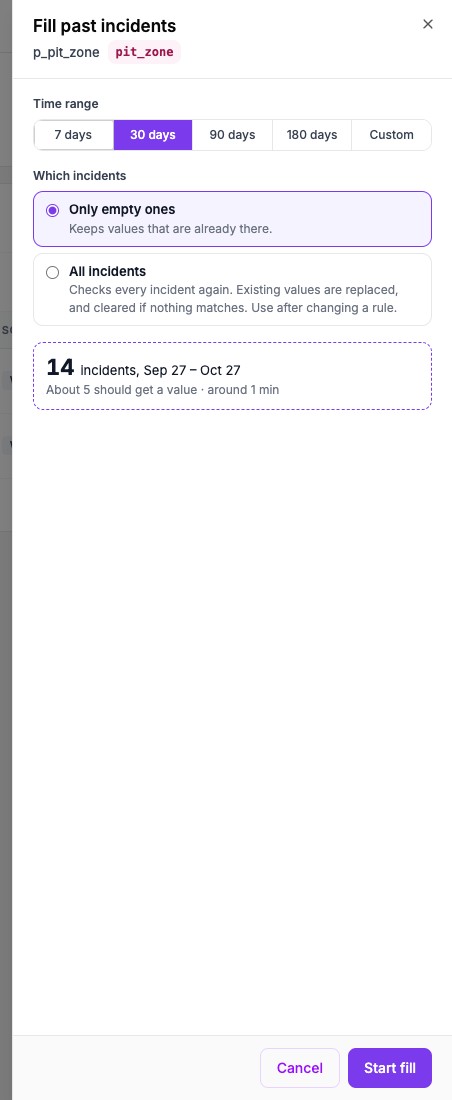
Oppex counts the incidents in the range exactly, but it estimates the share that gets a value from the 200 newest incidents.
Fill while you save a parser
When you create or edit a parser, the Past incidents card offers New incidents only or Also fill past incidents. The second choice shows the range, and the button becomes Save and fill. When you activate an auto-built parser, a checkbox named Also fill past incidents does the same.
Follow the run
The Backfill history tab lists every run with its parser, the reason, the date range, the status and the progress. A badge on the tab counts runs that are still active.
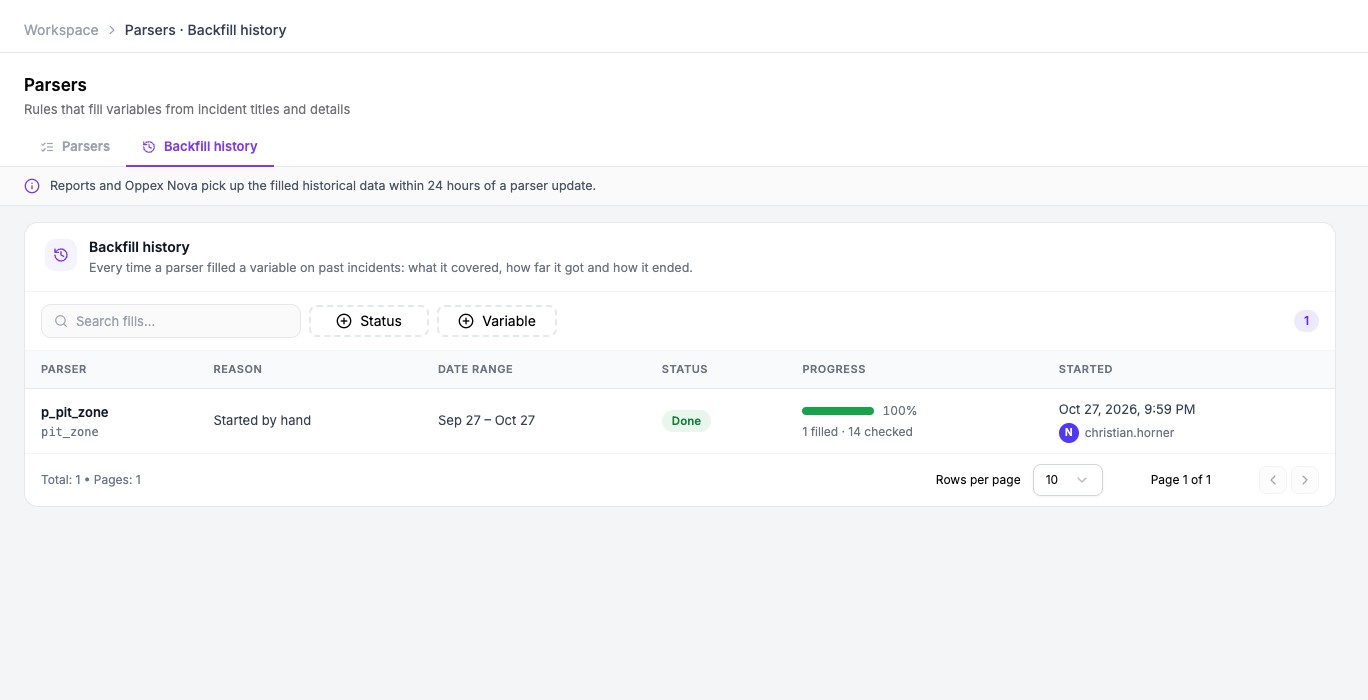
Select a run to open its details.
| Status | Meaning |
|---|---|
| Queued | The run is waiting for its turn. |
| Running | Oppex is checking incidents. |
| Paused: busy | Many new incidents are arriving, so the run waits and then carries on by itself. |
| Done | Every incident in the range was checked. |
| Failed | The run stopped. The details show the reason. |
| Cancelled | The run was cancelled, by an admin or because its parser or variable was removed or switched off. |
The reason column tells you why a run started: Parser created, Parser edited, Started by hand, Run again or Retry after a failure.
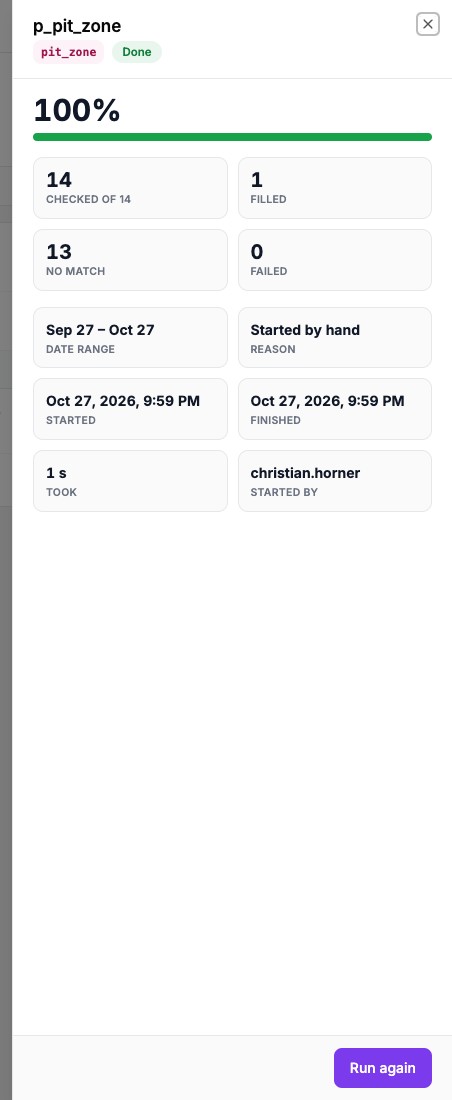
In the details, Run again repeats the same range and choice with the rules as they are now. Retry the rest appears on a failed run and continues from where it stopped. Cancel run appears while a run is queued or running, and it stops after the batch in progress.
Rules and limits
- A fill covers at most 180 days, and the start date can be no older than 180 days.
- The parser must be Active. Oppex asks you to switch it on first if it is not.
- Starting a fill for a variable replaces any unfinished fill for that variable. Oppex warns you before it does.
- Only one fill runs at a time in a workspace. The others wait as Queued.
- All incidents is refused while a routing rule sets the same variable, because it would clear those values. Choose Only empty ones instead.
- A parser that cannot decide on an incident, for example because a regular expression runs too long, never removes a value that is already stored.
- A running fill keeps the rules it started with. Editing the parser does not change it.
- Reports and Oppex Nova pick up the filled values within 24 hours.