
Changing Priority

Set an incident's priority to record how urgently your team should handle it. Priority is a label for triage: changing it does not change escalation, paging, or notifications.

Permissions

Owner and Global Admin: any incident. Admin and Workspace Admin: incidents on services they are an admin of, or incidents assigned to them. Responder: incidents assigned to them.

Change the priority​

  1. In the Incidents list, click ⋮ on the incident's row. The same menu is also in the incident's detail panel.
  2. Click Change Priority. The Priority dialog opens.
  3. In Choose priority, select a level from P1 to P5.
  4. Click Save Changes. Oppex shows "Priority updated to P2", with the level you chose.
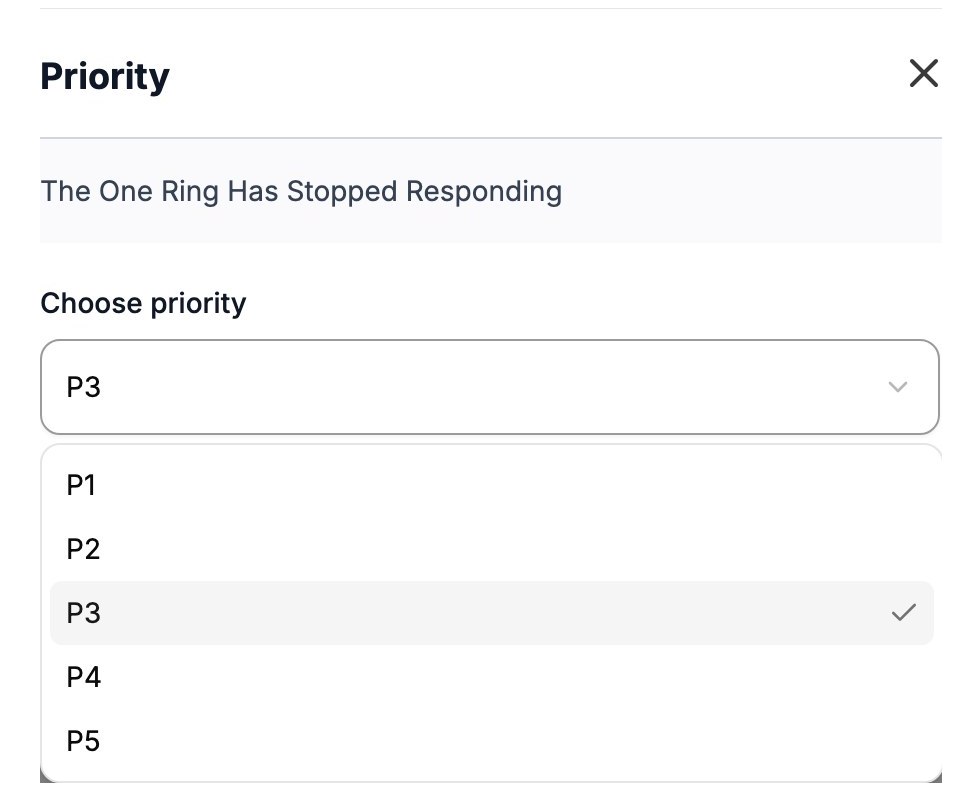
The Priority dialog with the priority list open and P3 selected

The timeline records the old and new priority and who changed it.

Priority and severity are different

Severity decides which escalation policy pages responders. Priority does not affect paging. To change who is paged, change the severity instead.

FAQ

Does a higher priority page more people?

No. Priority does not change escalation or notifications. Severity decides the escalation policy.

Can I add or rename priority levels?

No. Every workspace has five priority levels, from P1 to P5.

Why can't a Workspace Admin change the priority of any incident?

Priority changes are limited to incidents on services the admin administers, or incidents assigned to them. Owners and Global Admins can change the priority of any incident.

In this article

FAQ

Does a higher priority page more people?

No. Priority does not change escalation or notifications. Severity decides the escalation policy.

Can I add or rename priority levels?

No. Every workspace has five priority levels, from P1 to P5.

Why can't a Workspace Admin change the priority of any incident?

Priority changes are limited to incidents on services the admin administers, or incidents assigned to them. Owners and Global Admins can change the priority of any incident.