Changing Severity
Change an incident's severity when its impact turns out higher or lower than the alert suggested. A service can use a different escalation policy for each severity, so a change may restart escalation.
Owner, Global Admin, and Workspace Admin: any incident. Admin: incidents on services they administer or whose escalation policy they belong to. Responder: incidents on services whose escalation policy they belong to. Being assigned the incident is not enough on its own.
Change the severity
- In the Incidents list, click ⋮ on the incident's row. The same menu is also in the incident's detail panel.
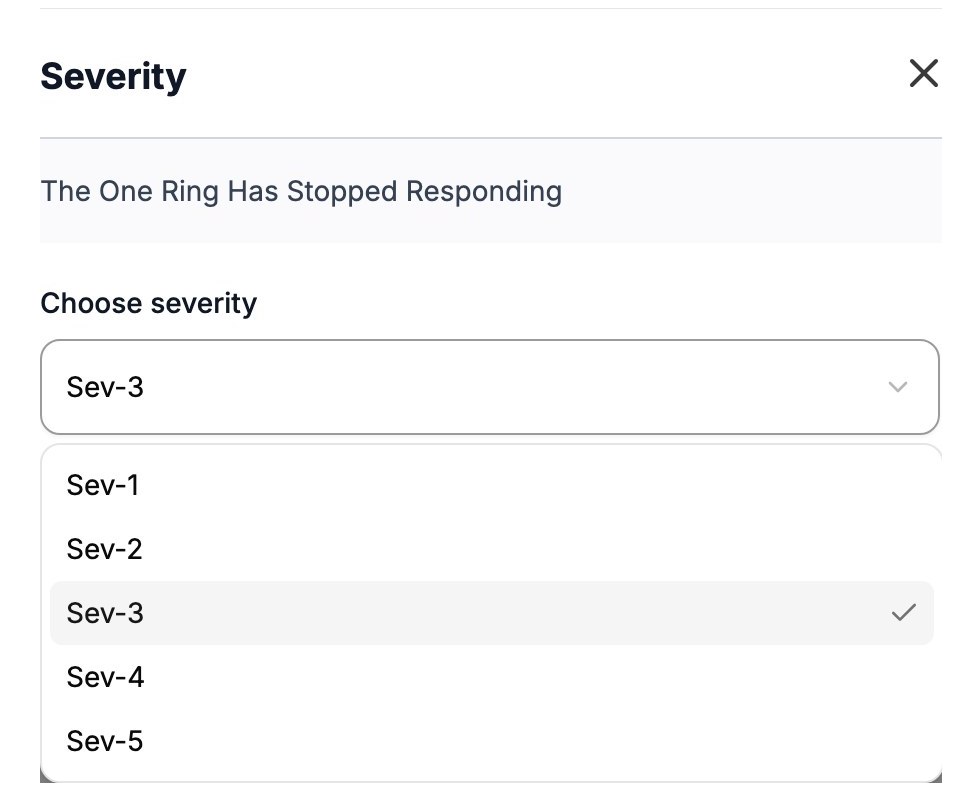
- Click Change Severity. The Severity dialog opens.
- In Choose severity, select a level from Sev-1 to Sev-5. Sev-1 is the most severe.
- Click Save Changes. Oppex shows "Severity updated to Sev-2", with the level you chose.
The timeline records the old and new severity and who changed it.
If the service uses a different escalation policy for the new severity, Oppex restarts escalation from that policy's first level. The incident returns to Triggered and is unassigned. If the new severity is set not to escalate, escalation stops. If both severities use the same policy, only the severity changes.
Oppex uses the service's policy settings as they were when the incident opened, not later edits to the service.
The service and any services following the incident receive a severity change update, if they subscribe to Severity Change.