On-call email permissions and limits
This page lists who can change on-call email settings, the rules Oppex follows when it sends the emails, what each email contains, and the messages you may see on the Notifications page.
Permissions
| Action | Who can do it |
|---|---|
| Turn Notify On Call on or off | Every user, for themselves only |
| Choose Remind Me days | Every user, for themselves only, while Notify On Call is on |
| Change another user's on-call emails | Nobody. There is no administrator or organization-wide setting. |
Limits and rules
| Rule | Detail |
|---|---|
| Defaults | Notify On Call is off, so no on-call emails are sent until you turn it on. Remind Me is set to 1 day and 5 days. |
| Reminder days | Any of 1 to 5 days before the shift, at most two at a time. |
| When reminders are checked | Once a day, at 00:30 UTC. |
| Which shifts get a reminder | A shift on a schedule, on the first day you are on call after a day off call. This includes shifts on rotation, notify-all and distribute-evenly layers, shifts you cover through an override, and the first shift of a schedule that starts within the next five days. |
| Days counted in | The schedule's time zone. |
| Times shown in | Your own time zone: your personal time zone preference, or the workspace time zone if you have not set one. If neither is set, Oppex uses India Standard Time. |
| Repeat reminders | Each reminder day is sent at most once per shift. |
| Override email | Sent as soon as someone assigns you to cover a shift, including when you assign the override to yourself. It depends only on Notify On Call, not on your reminder days. |
| Cancelled override | Oppex does not send an email when an override is cancelled. |
| Where emails go | The email address on your Oppex account. |
What each email contains
The shift reminder names the schedule in its subject and heading, says when your shift starts (for example tomorrow with the exact date and time), and lists the schedule and the services it covers. When the shift is one you are covering for someone else, the email adds the line "You're covering this shift as part of an on-call override."
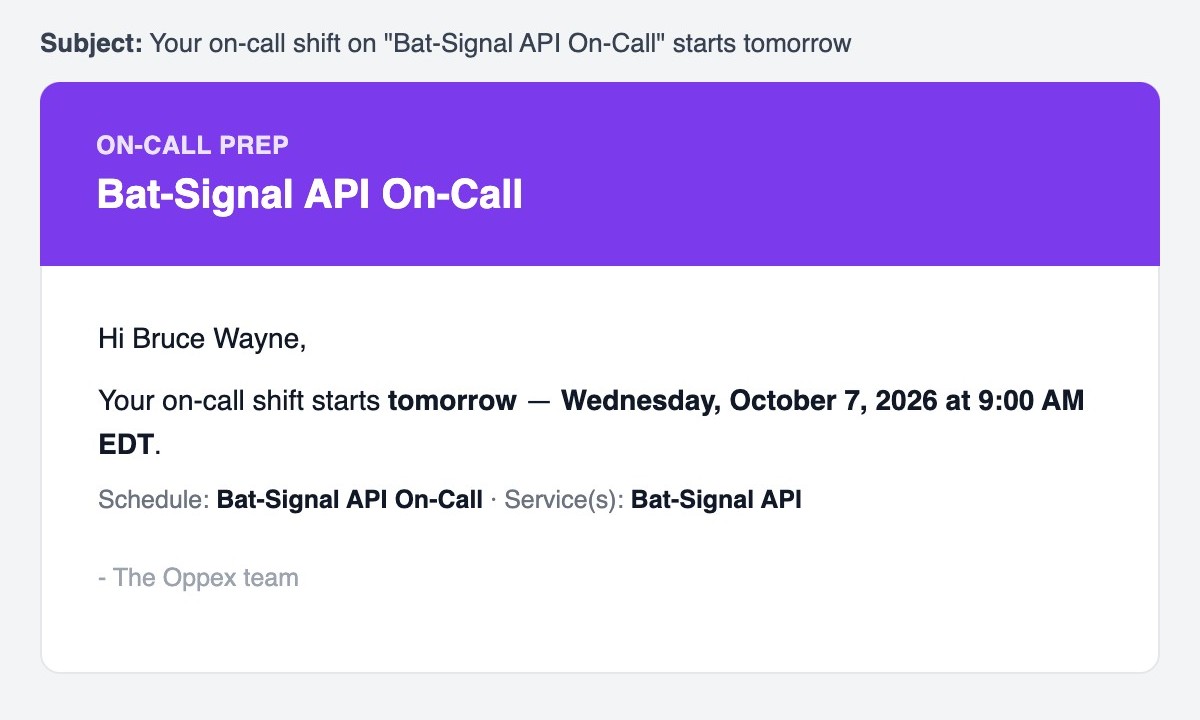
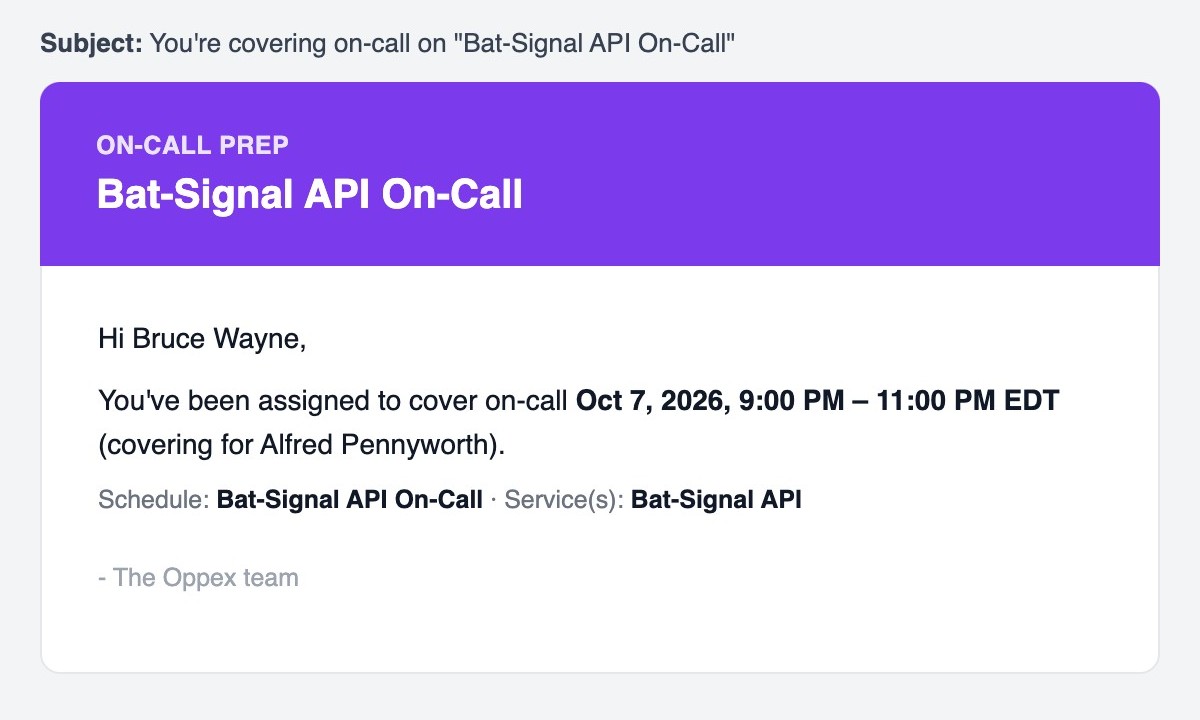
The override email says which window you have been assigned to cover, whose shift you are covering, and which schedule and services it belongs to.
The words today, tomorrow and in N days are counted in your own time zone, so they always match the date shown beside them. If you are far from the schedule's time zone, a 1 day reminder may read today or in 2 days.
Messages
| Message | Meaning | What to do |
|---|---|---|
| "On-Call Notification turned on" | Notify On Call is now on. | Nothing. |
| "On-Call Notification turned off" | Notify On Call is now off. You receive no on-call emails. | Turn it back on to receive emails again. |
| "Reminder preference updated" | Your reminder days were saved. | Nothing. |
| "Reminders turned off" | You removed every reminder day. | Select a day to receive reminders again. |
| "You can select up to 2 reminder days" | You tried to select a third day. | Remove one of your two days first. |
| "Couldn't load." next to Retry | Oppex could not read your Notify On Call setting. | Click Retry. |
| "Couldn't load your reminder preference. Try refreshing the page." | Oppex could not read your reminder days. | Refresh the page. |
| "Failed to update on-call notification preference", "Failed to update reminder preference", or another error message | Your change was not saved. | Try again. If it keeps failing, contact support. |