The Calendar
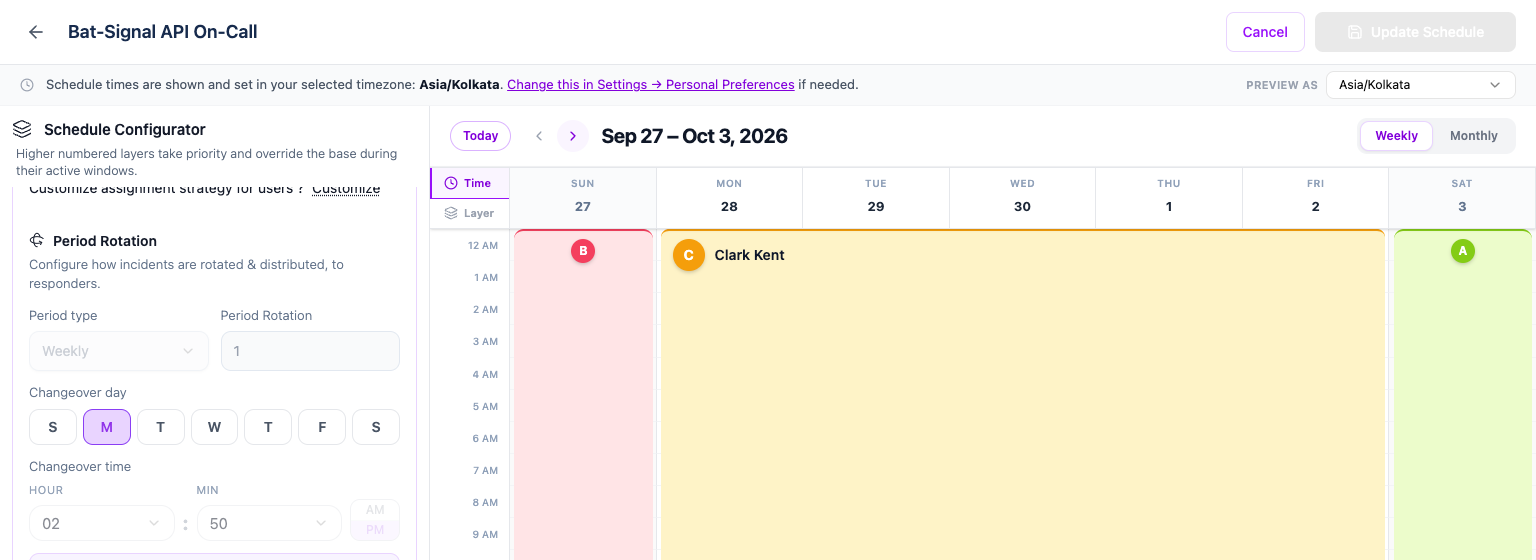
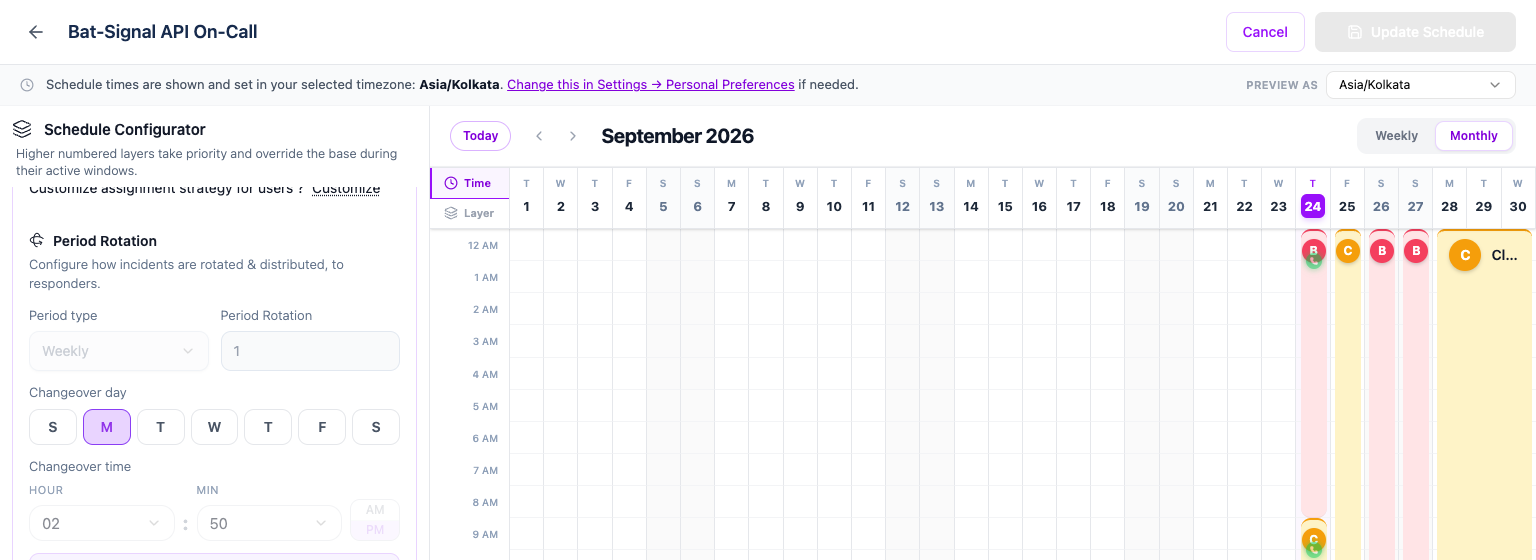
The calendar shows every layer's coverage for the days you're looking at. Switch between Weekly and Monthly in the top right — both show the same underlying rotation, Monthly just widens the visible range.
Time mode vs. Layer mode
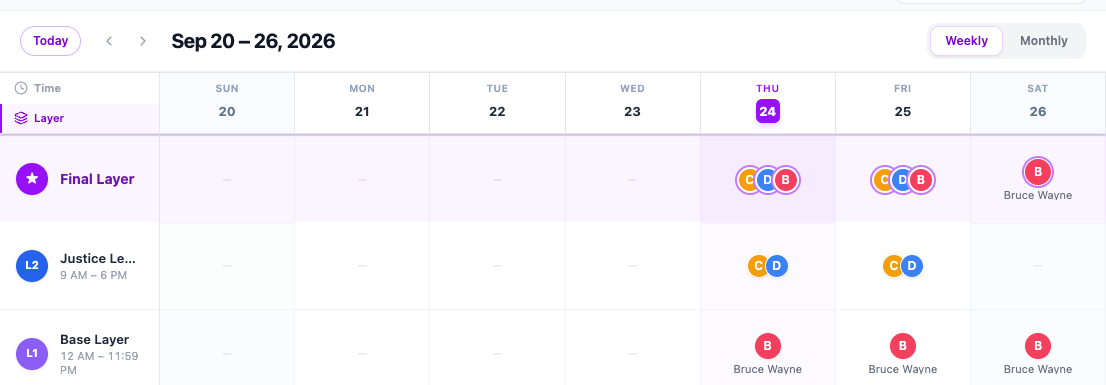
Two tabs on the left edge of the calendar switch how coverage is drawn:
- Time (the default) draws one column per day and one row per hour, so you can see exactly when a handoff happens during the day.
- Layer draws one row per layer instead, plus a Final Layer row at the top marked with a star. The Final Layer row is the answer to "who is actually on call" once every layer's priority is taken into account — useful the moment you have more than one layer and want to see who wins without mentally stacking the Time view's hour bands yourself.
What you're looking at
- Hovering a band highlights the full run it belongs to, even if a timezone boundary or an override splits it into more than one piece on screen.
- The red line marks the current day and time. It only appears on Scheduled rotation layers — a Notify all or Distribute evenly layer stacks people rather than hours, so a time line wouldn't mean anything there.
- A "Syncing…" label appears in the header while an edit you just made is being saved. Give it a moment — it should clear within a couple of seconds once the change is confirmed.
The calendar may take a moment to update after you navigate
Moving to the next window, switching to Monthly view, or jumping to Today re-fetches your schedule's coverage from Oppex rather than computing it instantly. On a slow connection, give the calendar a second before assuming a day is empty.