Layers
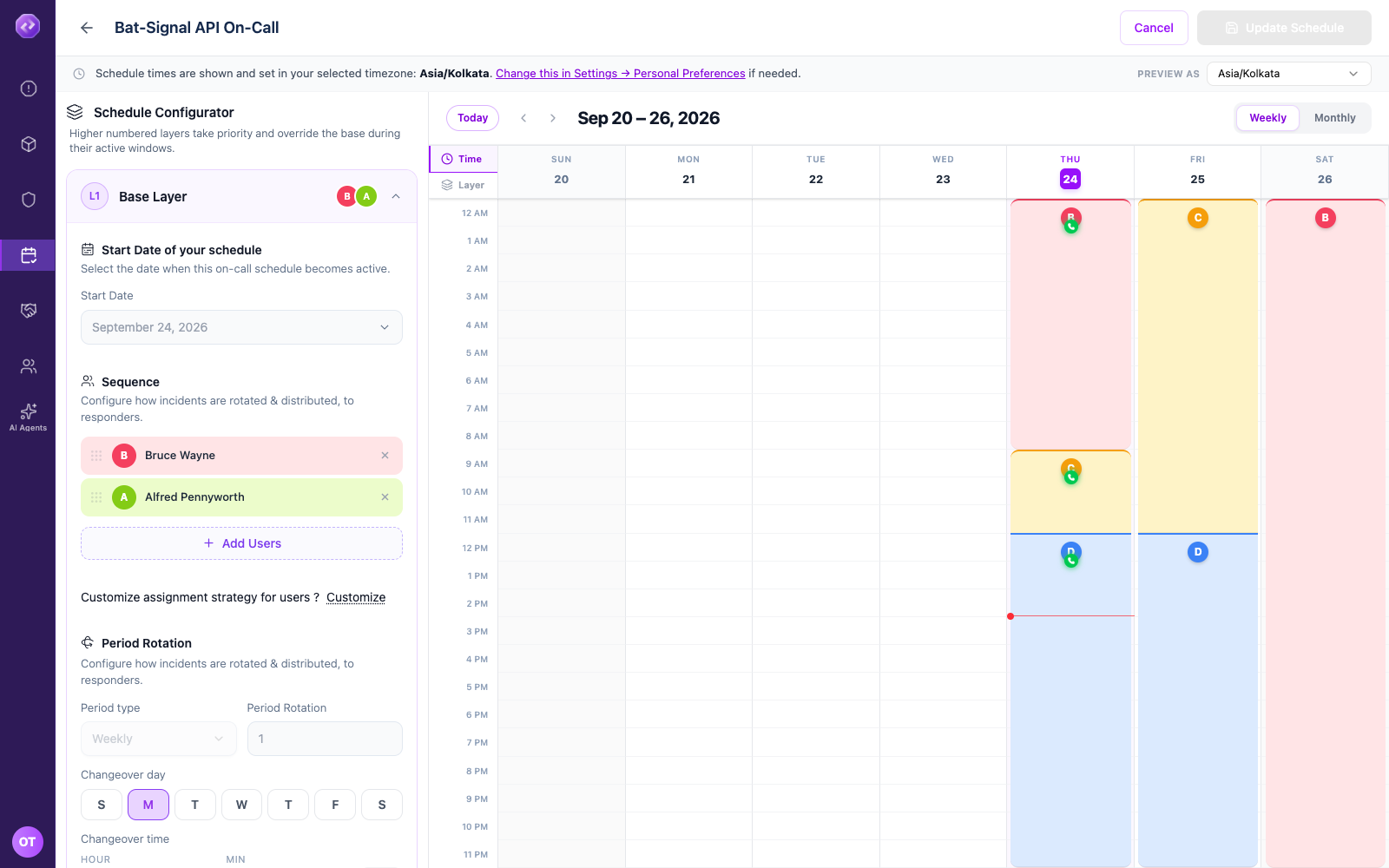
A schedule can stack more than one layer. Each layer has its own list of people and its own rule for who is on call. A higher-numbered layer only applies during the days and hours you give it — outside that window, the layer below still covers the schedule.
Add a layer
-
Open your schedule and click Add Layer.
-
Name the layer — for example Justice League Escalation.
-
Set a Start Date, and an End Date if the layer should stop applying at some point.
-
Click Add Users and choose who belongs to this layer, in the order they should rotate.
-
Click Customize to choose how the layer picks who is on call:
Option What it does Scheduled rotation One person is on call at a time, for a set rotation length. Distribute evenly Oppex spreads incidents across the whole layer instead of naming one person ahead of time. Notify all Every person in the layer is on call at the same time. 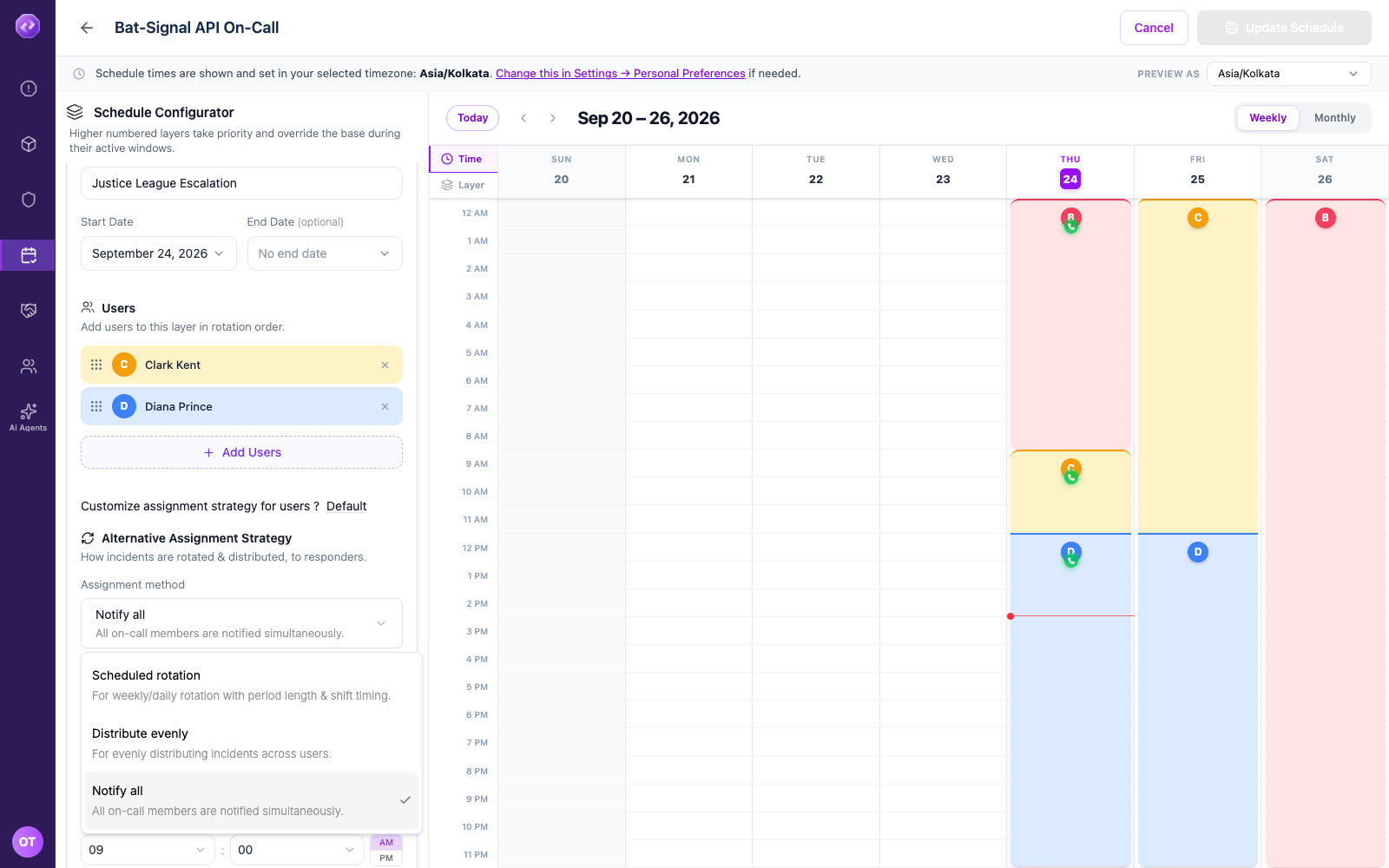
-
Click Update Schedule (or Create Schedule for a new schedule) to save.
A layer set to Notify all shows every member's name stacked on the calendar for that day, since nobody is picked ahead of time. Distribute evenly renders the same way, but with a dashed border and a Possible label, since only one of them will actually respond once an incident happens.
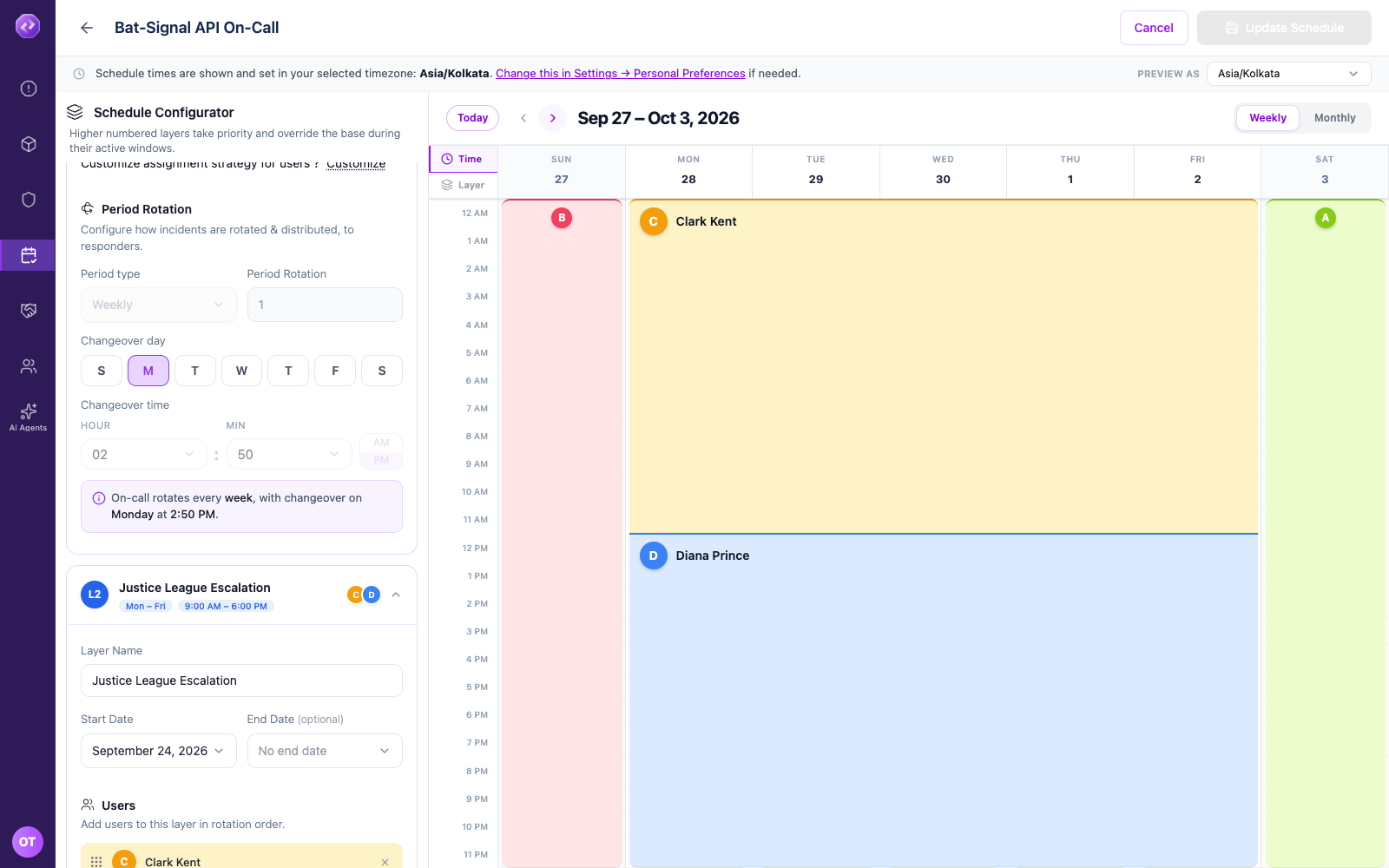
Today and past days always show a single name for a layer, even if it's set to Notify all or Distribute evenly. Check a day later this week or next week to see every member listed.
The base layer always covers the full 24 hours of every day — there's no control to shorten it. If you need a layer that only applies during certain hours, add it as a second (or later) layer instead. See Active Days & Hours.
See which layer actually wins: Time mode vs. Layer mode
Once you have more than one layer, it helps to see not just each layer's own coverage, but who Oppex actually pages once every layer's priority is taken into account. Two tabs on the left edge of the calendar switch between these views:
- Time — the default hour-by-hour grid, one row per hour of the day.
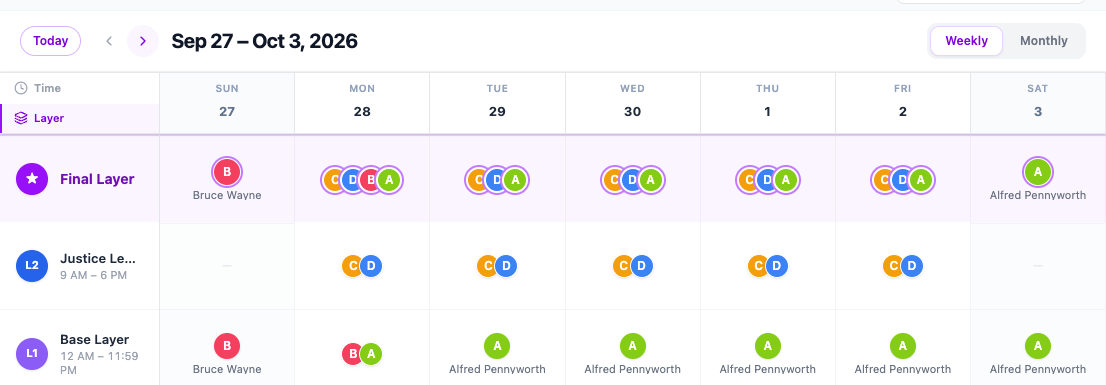
- Layer — one row per layer instead, ordered by priority, plus a Final Layer row at the top marked with a star. The Final Layer row is the resolved answer: whichever layer's member wins for that day once you account for every layer stacked on top of the base.
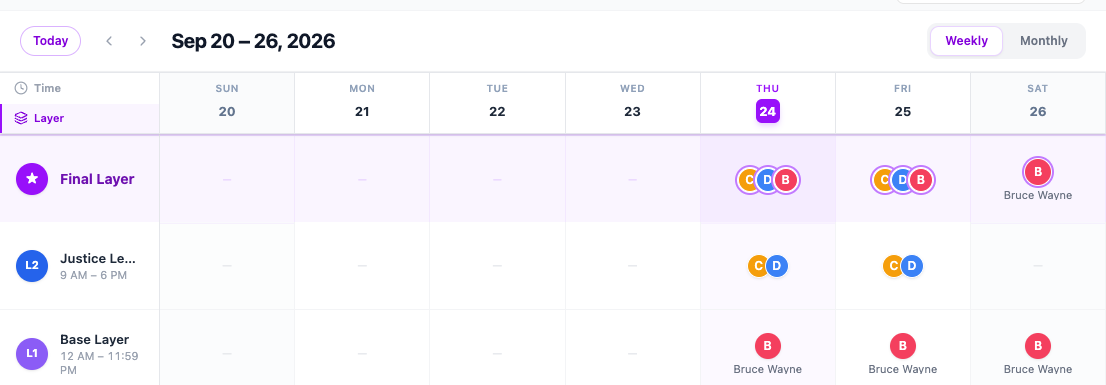
In the example above, Justice League Escalation (L2) only has coverage Monday–Friday, so on the days it's active its member appears in the Final Layer row instead of the base layer's. On the days it isn't active, the Final Layer row falls back to whoever the base layer has on call.