Overrides
An override puts a different person on call for part of a schedule, without changing the underlying rotation. Once the override ends, the original rotation picks up exactly where it left off.
Assign coverage
-
Open the schedule and click the day you want to cover.
-
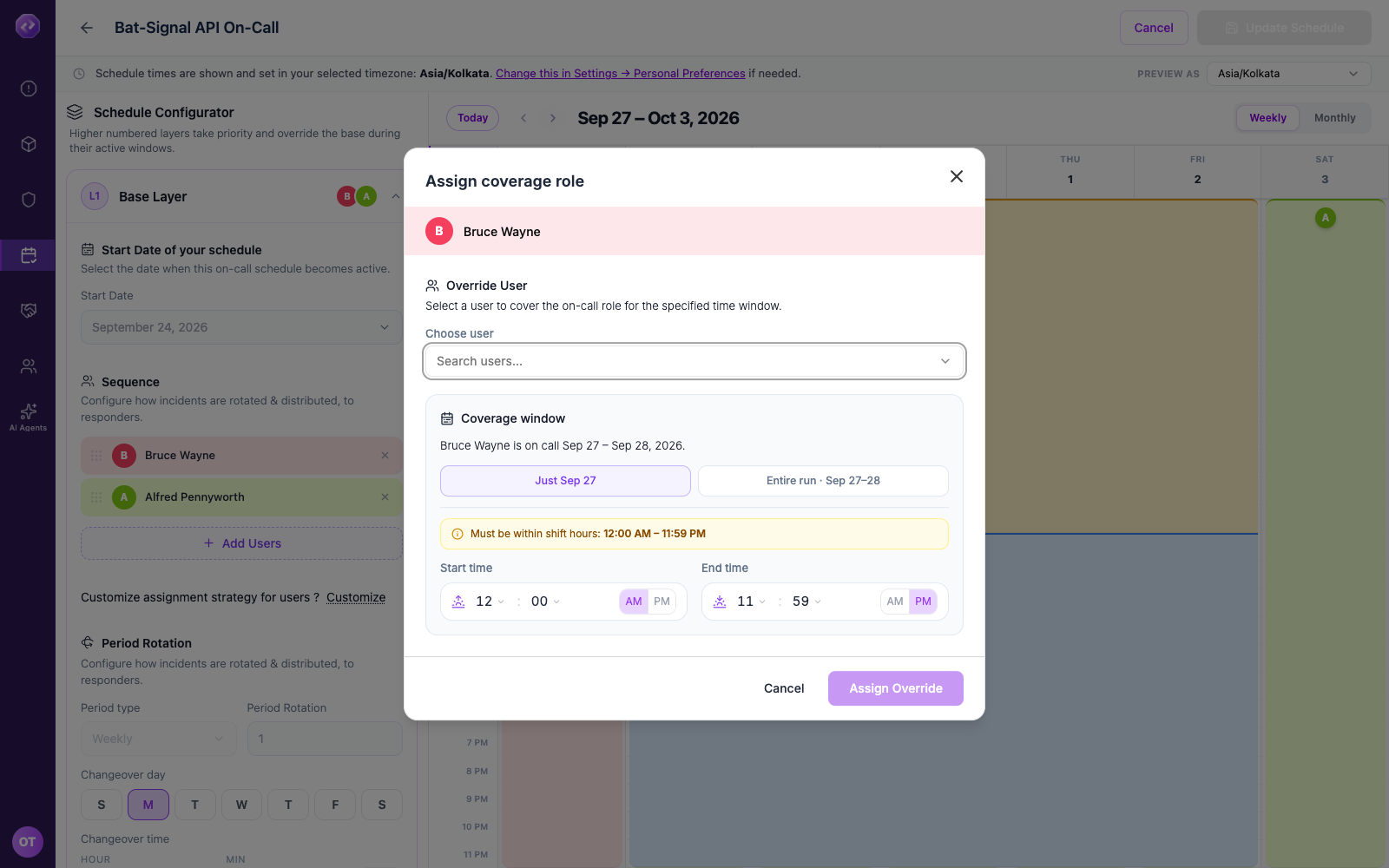
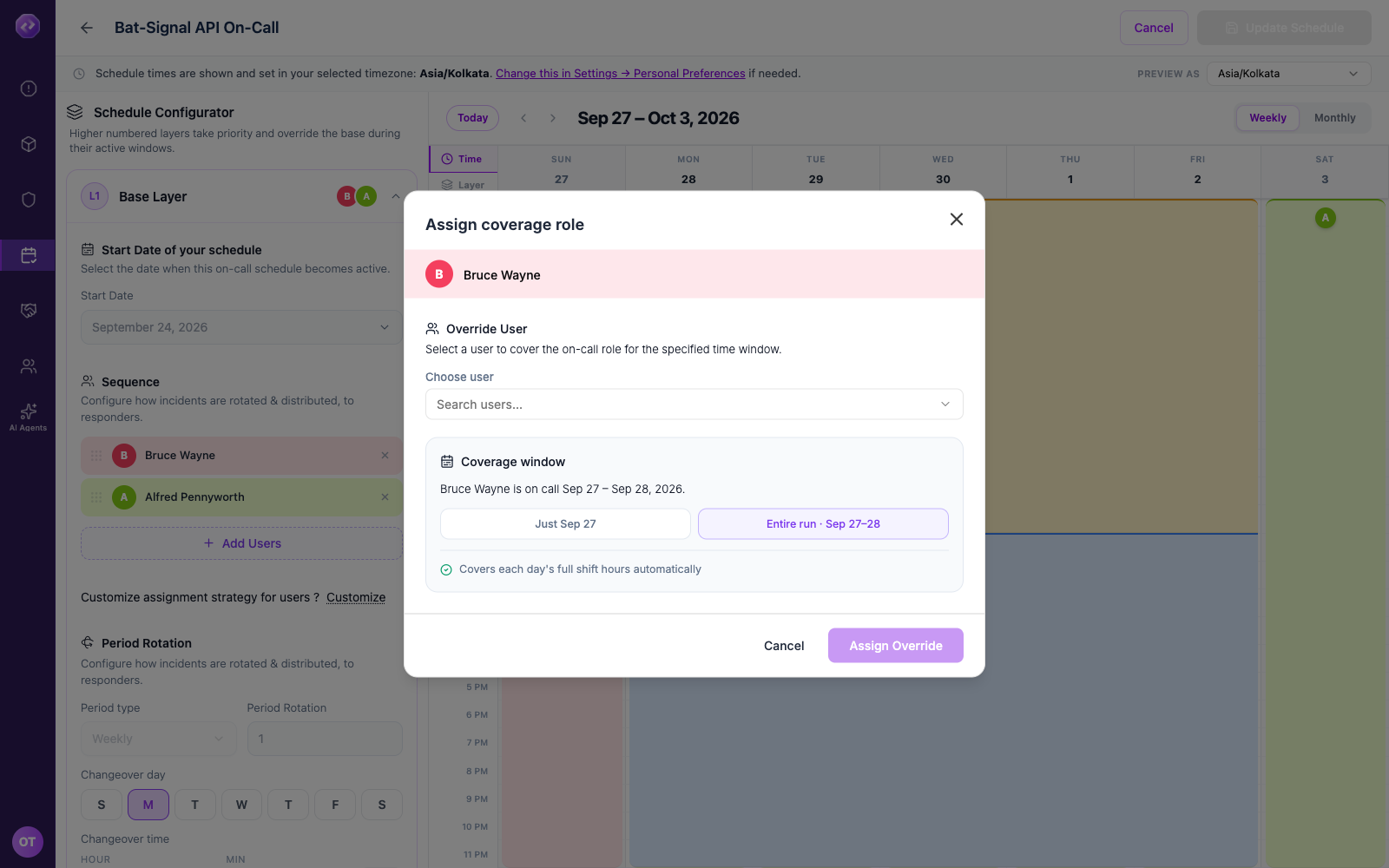
Choose the scope:
Scope Covers Time window Just <date> A single day You choose the exact start and end time. Entire run Every day the original person was already on call in one continuous stretch Oppex fills in each day's normal shift hours automatically. -
Click Choose user and search for the person covering.
-
If you chose Just <date>, set the Start time and End time. Entire run fills this in for you.
-
Click Assign Override.
Oppex emails the person covering the shift as soon as you assign the override, unless they have turned off Notify On Call. See On-call emails.
Example: Bruce Wayne is on call for a two-day run, September 27–28. Clicking that run and choosing Just Sep 27 with a 9:00 AM–5:00 PM window covers only the daytime hours of the first day — the rest of the 27th, all of the 28th, stay with Bruce Wayne. Choosing Entire run · Sep 27–28 instead covers both full days automatically, using each day's normal shift hours.
Both scopes are bounded to the contiguous stretch of days the original person was already going to be on call. You can't override into a day that belongs to someone else's turn in the rotation.
Oppex rejects an override where the covering person is the same as the person already scheduled.
If the layer only runs 9:00 AM–6:00 PM, an override start or end time outside that window is rejected — Oppex shows the exact hours you need to stay within.
Cancel an override
- Click the day that has the override.
- Click Cancel Override.
The person who was originally scheduled covers that slot again immediately. Oppex does not send an email when an override is cancelled.
If your new override's dates or times overlap one that already exists, Oppex warns you and replaces only the overlapping override — any other override elsewhere in the run is left alone.